
Home › N999 Login
N999 Login – Account Access, Password Recovery & Login Problems
N999 Login allows registered users to access their N999 Game account, game lobby, wallet, transaction history, promotions, and other available account features. If you have already completed N999 registration, you normally do not need to create another account each time you use the platform.
Login problems can happen because of an incorrect password, wrong account details, internet problems, an outdated app, or temporary platform issues. Account security is also important because a gaming account may contain wallet and transaction information.
This guide explains how to log in to N999 Game, recover a forgotten password, troubleshoot common login problems, and protect your account.
Important: Never give your N999 password, OTP, or mobile-wallet PIN to someone claiming they can fix your account or guarantee winnings.
On this page
- What Is N999 Login?
- How to Login to N999 Game
- Forgot Your N999 Password?
- N999 Login Not Working
- N999 OTP Not Received
- N999 App Opens but Login Page Does Not Load
- Account Locked or Temporarily Restricted
- Can I Login to N999 on Another Phone?
- N999 Login on Android, iPhone and PC
- Protect Your N999 Login
- What to Do After Login
- Final Thoughts
What Is N999 Login?
N999 Login is the account-access process for existing users.
After successful login, users may be able to access the current game lobby, wallet balance, deposits and withdrawals, promotions, referral features, profile settings, and transaction information.
If you have never created an account, complete N999 Register first rather than trying random login details.
How to Login to N999 Game
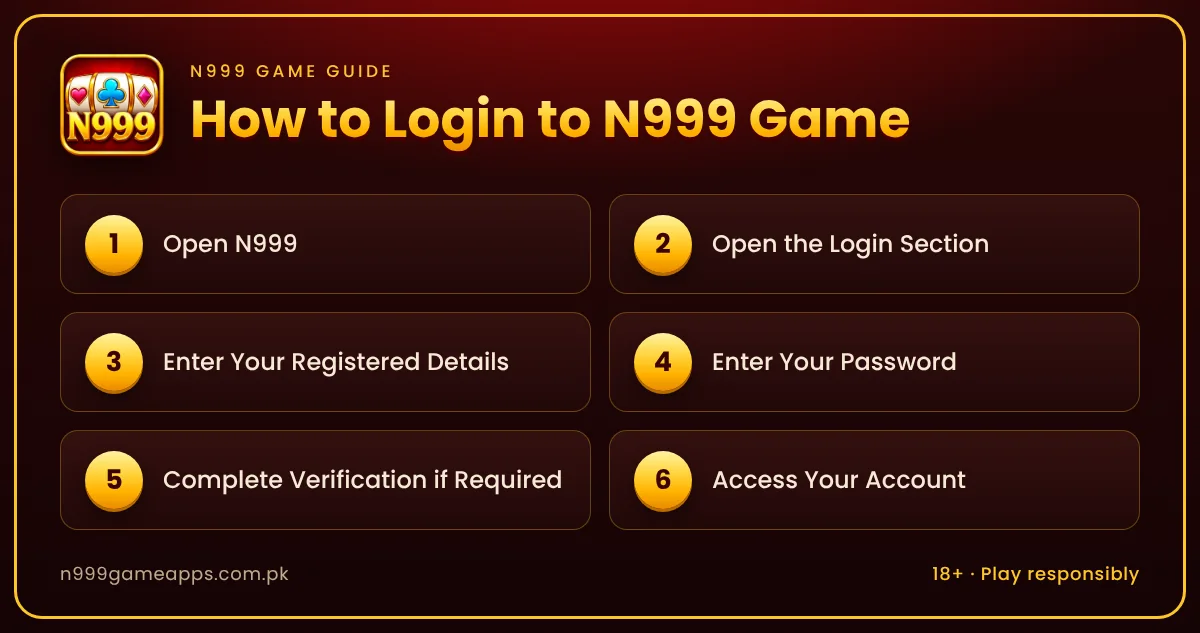
The exact interface can change, but the general login process is straightforward.
1
Step 1: Open N999
Open the N999 app or the login area you normally use.
If you installed an APK, make sure you are opening the expected application rather than an unofficial copy with a similar name or logo.
2
Step 2: Open the Login Section
Select Login or the equivalent account-access option.
3
Step 3: Enter Your Registered Details
Enter the phone number, username, or other identifier associated with your N999 account.
Use exactly the information you provided during registration.
4
Step 4: Enter Your Password
Type your password carefully.
Check for typing errors before submitting the form. Avoid saving the password on a shared or public device.
5
Step 5: Complete Verification if Required
If N999 requests an OTP or another verification step, complete it through the normal platform process.
Keep verification codes private.
6
Step 6: Access Your Account
After login, confirm that the correct account has opened before making a deposit, withdrawal, or other financial transaction.
Forgot Your N999 Password?
A forgotten password does not necessarily require a new account.
Look for Forgot Password, Reset Password, or a similar recovery option on the login screen.
Enter the information requested for account verification and follow the recovery instructions.
Create a new password that is difficult to guess and different from passwords used for important email, banking, or wallet accounts.
Do not use third-party services that claim they can reveal your existing N999 password.
N999 Login Not Working
If the login form rejects your details, first check the basics.
Confirm that the account identifier and password are correct. Check your internet connection and make sure you are using the expected N999 app or login page.
If you recently changed the password, make sure you are not entering the old one.
Avoid repeatedly guessing passwords. Use the official recovery process when necessary.
N999 OTP Not Received
If login or password recovery requires an OTP, confirm that the registered phone number is active and has network coverage.
Wait for the normal resend period before requesting another code.
If several OTPs arrive, use only the code relevant to the latest request where appropriate.
Never share an OTP with someone through WhatsApp, Telegram, social media, or a support conversation unless the verified platform process explicitly requires entry within its own secure interface.
N999 App Opens but Login Page Does Not Load
A loading problem can be caused by the internet connection, app data, device performance, or a temporary service problem.
Try closing and reopening the app. Switch between mobile data and Wi-Fi if appropriate and confirm other websites or apps can access the internet.
If you are using an old N999 APK, check whether a newer compatible version is available from a source you trust.
See our N999 Game Download guide before replacing the installed APK.
Account Locked or Temporarily Restricted
Repeated failed login attempts or account-security checks may sometimes result in temporary restrictions.
Do not create multiple replacement accounts simply to bypass a restriction.
Use the recovery or verified customer-support process and provide only the information needed to identify the account.
Never send your full password, OTP, JazzCash PIN, or Easypaisa PIN to someone claiming to be support.
Can I Login to N999 on Another Phone?
Account access on another device depends on the current security rules.
If another phone is supported, you may be asked to complete additional verification.
Avoid logging in on unknown, shared, or public devices. If you must use another device, do not save your password and sign out when finished.
N999 Login on Android, iPhone and PC
Android users may access their accounts through the currently supported N999 Android method. See our N999 for Android guide for device-specific information.
iPhone users should follow a supported iOS method rather than trying to install an Android APK. Our N999 for iOS guide explains this distinction.
PC users can check the N999 for PC guide for available browser or compatible access options.
Protect Your N999 Login
Use a unique password and keep recovery information current.
Do not share screenshots containing passwords, OTP codes, wallet details, or other sensitive information.
Be cautious of fake N999 pages designed to collect login credentials. A familiar logo alone does not prove that a login page is genuine.
If something about a login page or APK appears unusual, verify the source before entering account information.
What to Do After Login
After accessing the account, review the wallet and transaction history before making a new payment.
If you plan to add funds, read our N999 Deposit guide. If you want to request payment from an eligible balance, see the N999 Withdrawal guide first.
Check promotion conditions separately because bonuses can affect withdrawal eligibility.
Final Thoughts
N999 Login gives existing users access to their N999 Game account and related features. In most cases, logging in requires the registered account information, password, and any verification currently requested.
If login fails, check the credentials, internet connection, app version, and password-recovery options before creating another account.
Most importantly, protect your password and OTP. Account access should always be completed through a source you trust, especially when the account contains real-money transaction information.